Turning a Busy Family Celebration Into a Video People Will Watch
A family celebration produces plenty of footage and very little natural order. A watchable video needs a clear story, selective editing and enough restraint to leave relatives smiling rather than checking the remaining run time. Good Editing Starts While the Event Is Happening The person filming should collect moments rather than record the whole day […]
A family celebration produces plenty of footage and very little natural order. A watchable video needs a clear story, selective editing and enough restraint to leave relatives smiling rather than checking the remaining run time.
Good Editing Starts While the Event Is Happening
The person filming should collect moments rather than record the whole day without pause. A short clip of arrivals, a wide view of the room and a few close details can establish the setting quickly. Longer recordings are useful for speeches or performances, but constant filming creates a mountain of repetitive material. The editor benefits when each clip has a purpose. Stable framing and a few seconds of stillness before movement also make later cuts much easier.
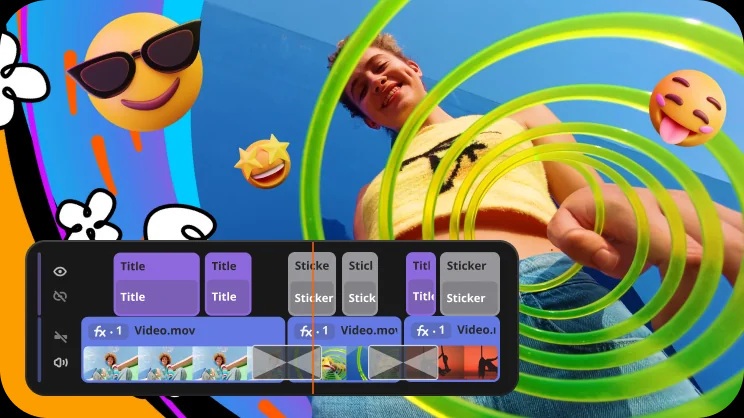
Sound deserves special attention. A heartfelt speech filmed from across a noisy room may look fine while becoming almost impossible to understand. The camera should move closer when conversation matters and step away when private talk begins. A creator planning to edit with Movavi can still save time during filming by checking that voices are audible and that the lens is clean. Software can improve a recording, but it cannot recreate a moment that was never captured clearly.
Permission matters at family events. Some guests enjoy the camera while others prefer to stay in the background. The person filming can ask before recording close conversations, children or emotional moments. That courtesy also improves the final video because relaxed guests behave more naturally. A celebration film should preserve the atmosphere without turning the event into a production set.
The Middle Needs More Than Random Clips
A simple structure keeps the edit moving. The opening can establish where everyone gathered and why the occasion mattered. The middle can follow two or three small threads such as food preparation, a game or the guest of honour greeting people. The ending can use a final toast, a quiet farewell or a group photograph. This order gives the audience a sense of progress even when the event itself was cheerful chaos.

The editor should choose clips for meaning rather than include every person for exactly the same number of seconds. Fairness is important, though equal screen time can produce dull repetition. Movavi provides tools for cutting, arranging, adding titles and adjusting sound, which can help turn scattered footage into a coherent sequence. The software remains most useful when the editor already knows what the video is trying to say.
Transitions should stay quiet. A clean cut often works better than an animated effect between every scene. Titles can identify the occasion and perhaps a few speakers, but they should not cover faces or interrupt a tender moment. Music should support the pace without competing with speech. The result should feel like a memory with shape, not a demonstration of every available editing tool.
File organisation saves another round of confusion. The editor can create folders for speeches, candid clips, photographs and music that is permitted for use. Clear filenames help identify the person or moment without playing every clip again. Duplicate recordings can be removed only after a backup exists. This simple preparation gives the creative work a calmer beginning and reduces the chance that a favourite message disappears during an enthusiastic cleanup.
A Simple Edit Plan for a Lively Occasion
- The first pass should remove accidental recordings, severe camera shake and repeated material.
- The second pass should arrange clips around a clear beginning, middle and ending.
- Speech should remain audible whenever a toast, story or announcement carries the scene.
- Titles and effects should appear only when they help the viewer understand the moment.
- The final run time should respect the patience of people who were not at the event.
Sound and Length Decide Whether It Gets Replayed
A family video often improves when it becomes shorter. The editor can watch each scene and ask whether it adds information, emotion or useful rhythm. If it does none of those things, it can usually leave. A brief sequence of cake cutting may capture the occasion better than several complete minutes of plates being moved. The goal is not to document every action. It is to preserve the character of the gathering.

Audio levels should remain comfortable from one clip to the next. A quiet interview followed by loud music can make viewers reach for the volume control. Tools within Movavi can help balance sound, trim pauses and add captions when speech is difficult to hear. Captions are also useful for relatives who watch without sound or need additional clarity. The editor should preview the video on more than one device because phone speakers can reveal problems missed on headphones.
The final review should happen after a short break. Fresh attention often catches a misspelled name, an abrupt cut or a private moment that should not be shared. Movavi can support the finishing work, though good judgement decides what belongs. Once the story feels clear and the length feels considerate, the creator can export a version suited to the intended audience and share it with confidence.